Scheduling Your Onboarding Call
Last updated: January 24, 2026
Overview
Schedule a 30-minute kick-off call with the Monk Onboarding Team to discuss your setup and start getting paid faster.
Prerequisites
You must be logged in to your Monk account
No prior onboarding steps are required, but completing earlier steps is recommended
Steps
Step 1: Navigate to the Onboarding Page
From the left sidebar, click Onboarding under the Admin section. You'll see a list of setup steps to complete.
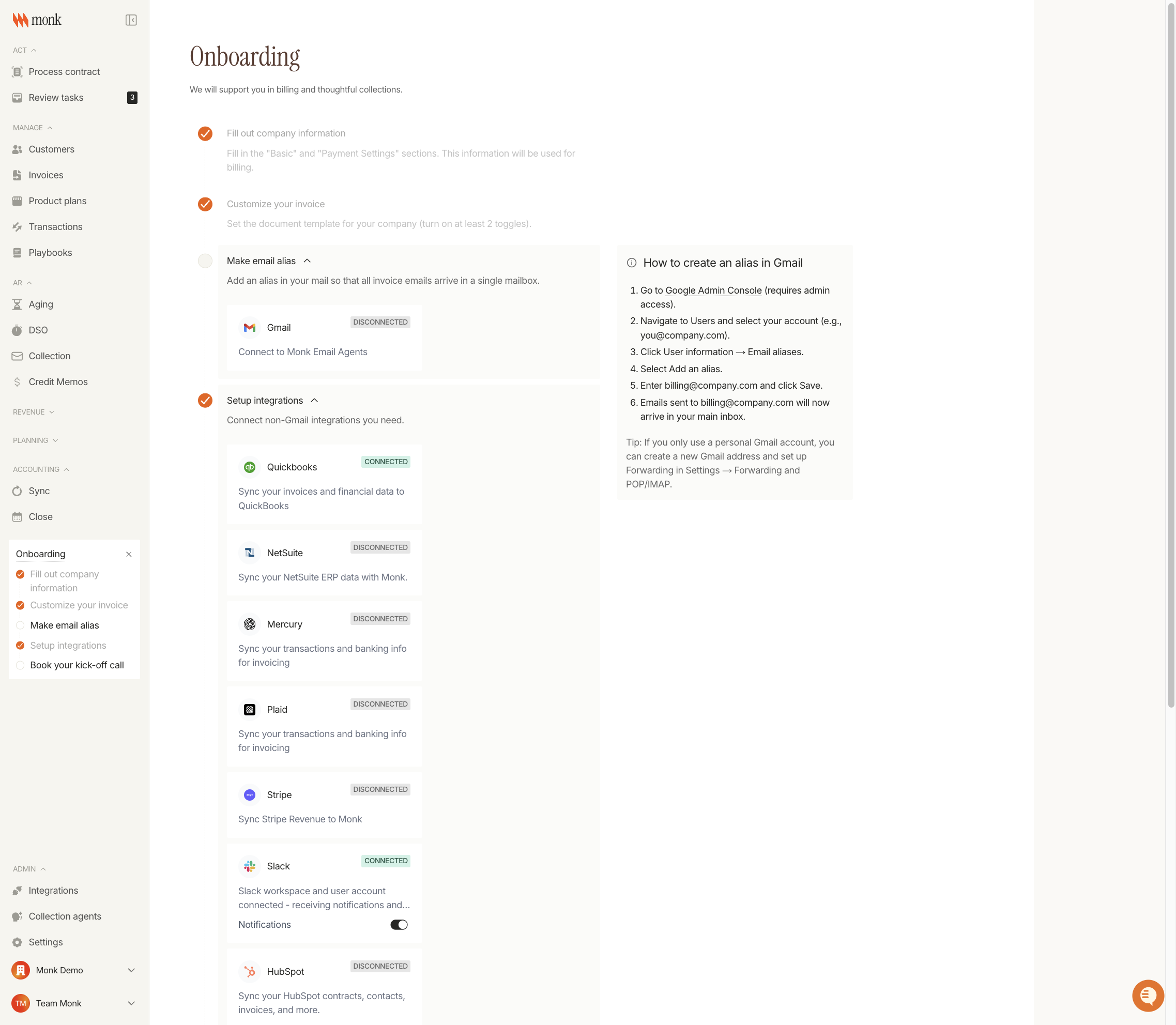
Step 2: Open the "Book Your Kick-Off Call" Section
Scroll down and click on Book your kick-off call
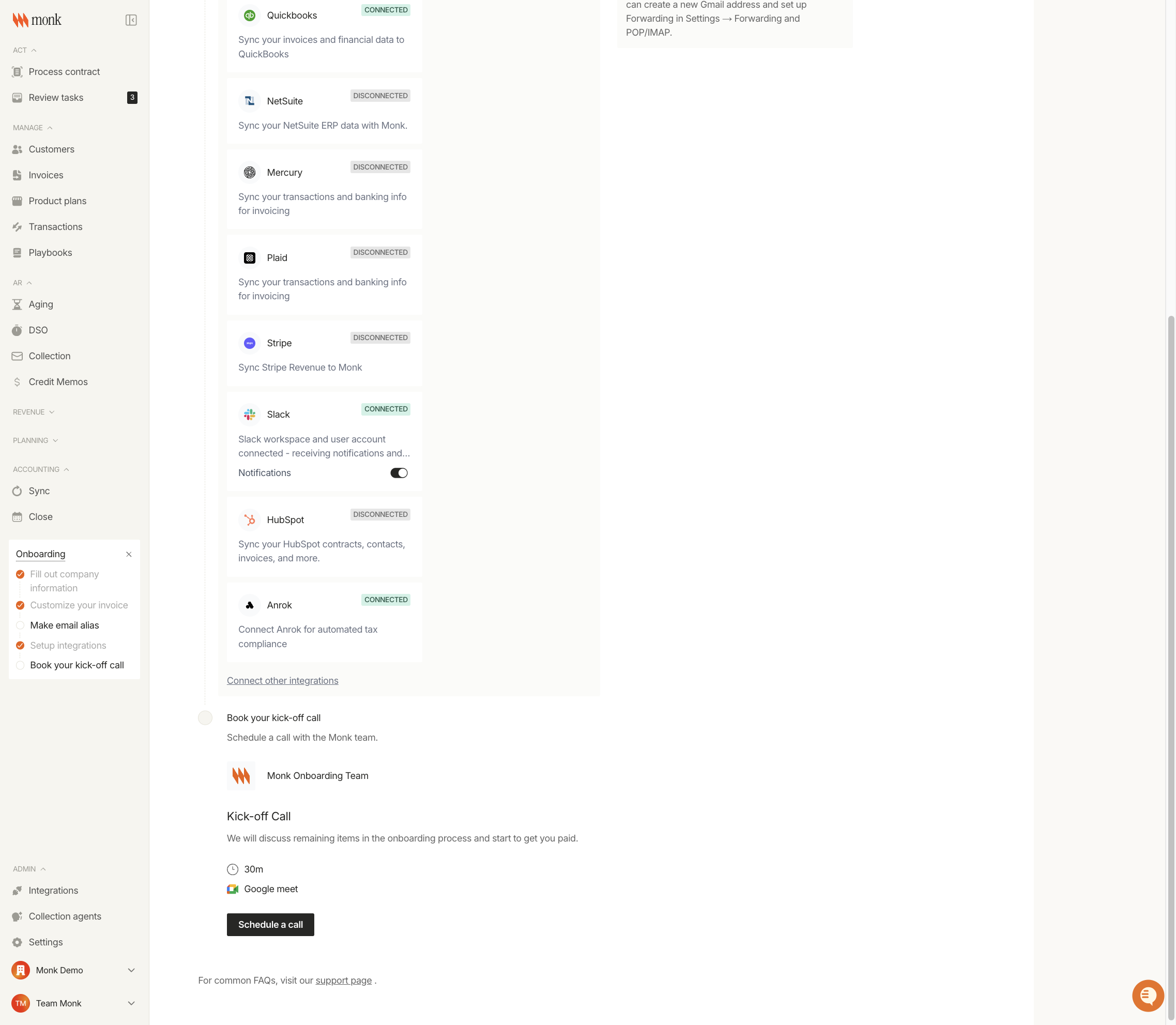
Step 3: Schedule Your Call
Click the Schedule a call button. This opens Cal.com in a new browser tab where you can select an available time slot.
Choose a date from the calendar
Select an available time slot
Enter your contact information
Confirm your booking
You'll receive a calendar invite with the Google Meet link.
What to Expect on the Call
The Monk Onboarding Team will help you:
Review your account configuration
Answer questions about features and workflows
Ensure your integrations are properly connected
Discuss best practices for accounts receivable automation
Address any remaining setup items
Tips
Complete the other onboarding steps before your call so we can focus on your specific questions
Have your Stripe, QuickBooks, or other integration credentials ready if you haven't connected them yet
Prepare a list of questions about your billing workflows