Introduction to Monk Agents
Last updated: January 24, 2026
Overview
Monk Agents are the premier intelligent collections agents. Using advanced LLM models and constantly improving, Monk Agents draft contextual, personalized collection emails, follow up with customers automatically, and escalate conversations when human attention is needed - helping you reduce DSO and improve cash flow.
Prerequisites
An active Monk account with collection features enabled
Email integration configured
What Are Monk Agents?
Monk Agents (named "Julia" by default) work alongside your team to handle routine collection tasks. Unlike traditional dunning software that sends the same templated emails, Monk Agents read and understand conversation context, crafting responses that feel natural and professional.
Key Capabilities
Capability | Description |
Intelligent Drafting | AI creates contextual emails based on conversation history and invoice details |
Automatic Follow-Ups | Sends reminders on a configurable schedule without manual intervention |
Escalation Detection | Identifies disputes, legal mentions, or payment commitments that need attention |
Contact Discovery | Finds new billing contacts when emails bounce |
Document Attachment | Automatically attaches invoices, contracts, and W9 forms as needed |
Configuring Your Monk Agent
Navigate to Collection agents in the sidebar.
Follow-Up Settings
The Follow-up section controls when and how your agent sends collection messages.
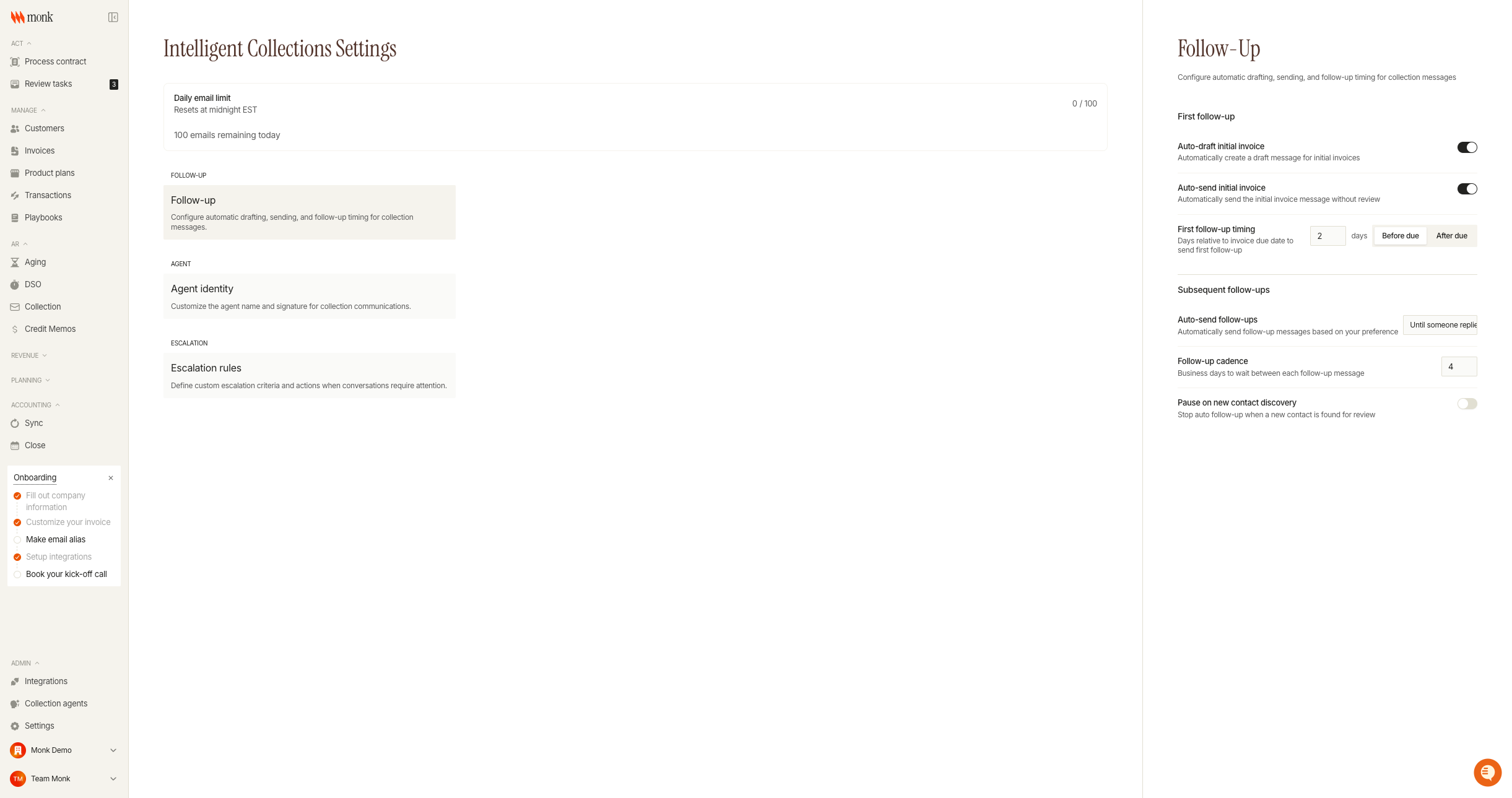
First Follow-up
Auto-draft initial invoice: Enable this to have the agent automatically create a draft message when an invoice becomes eligible for collection.
Auto-send initial invoice: When enabled, the agent sends the initial invoice message without requiring your review.
First follow-up timing: Set when the first follow-up should be sent relative to the invoice due date.
Subsequent Follow-Ups
Configure how the agent handles ongoing conversations.
Auto-send follow-ups: Choose from:
Always: Agent sends all follow-ups automatically
Until someone replies: Agent stops auto-sending once the customer responds
Never: All drafts require manual review and approval
Follow-up cadence: The number of business days to wait between each follow-up message (default: 4 days)
Pause on new contact discovery: When enabled, stops auto follow-up when the agent discovers a new billing contact, allowing you to review before proceeding
Agent Identity Settings
Customize how your agent presents itself in communications.
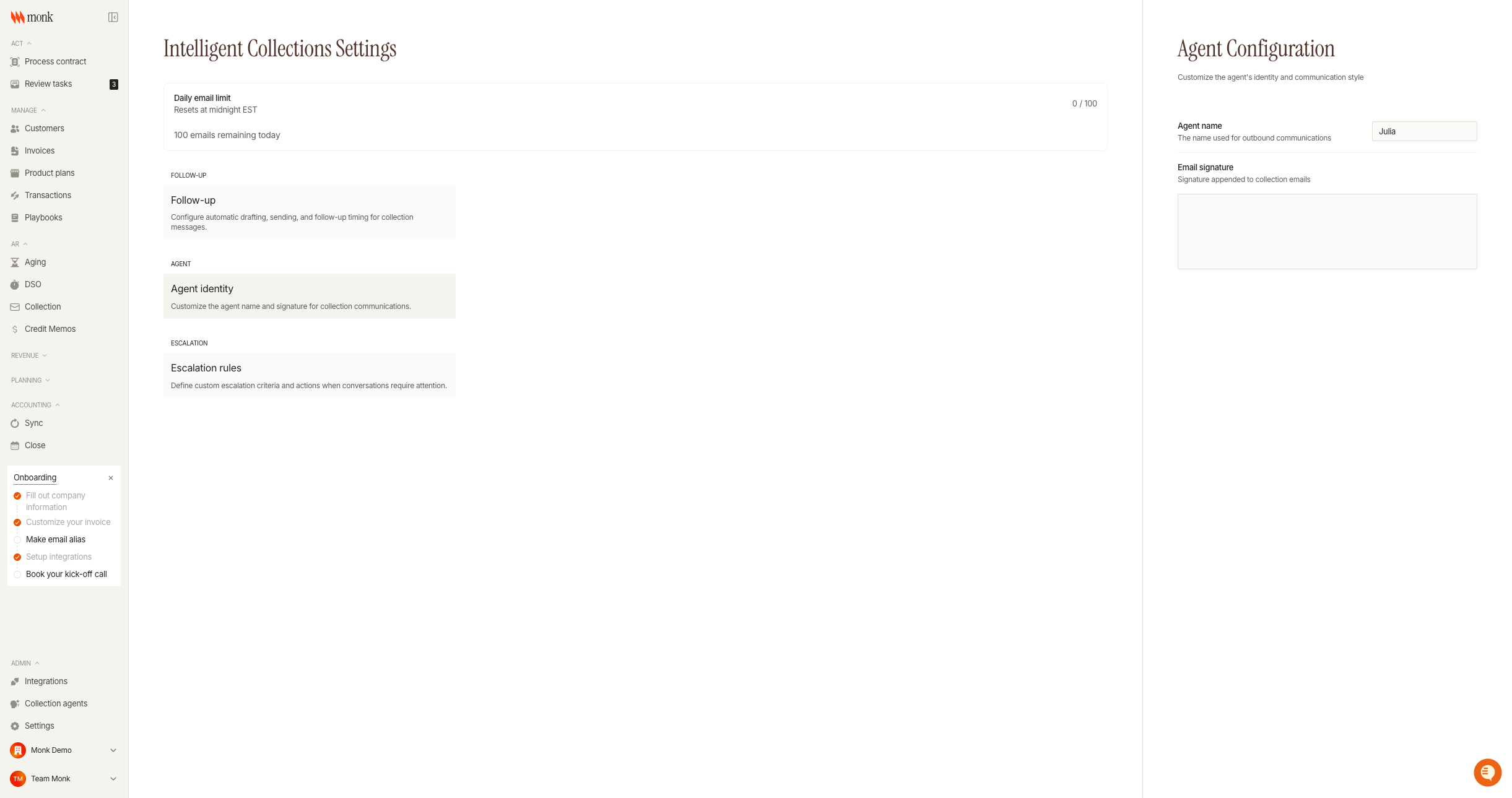
Agent name: The name used in email signatures and when the agent refers to itself. Default is "Julia," but you can change it to match your team's preferences
Email signature: A custom signature appended to all collection emails. Supports rich text formatting
Escalation Settings
Define what triggers escalation and what happens when it occurs.
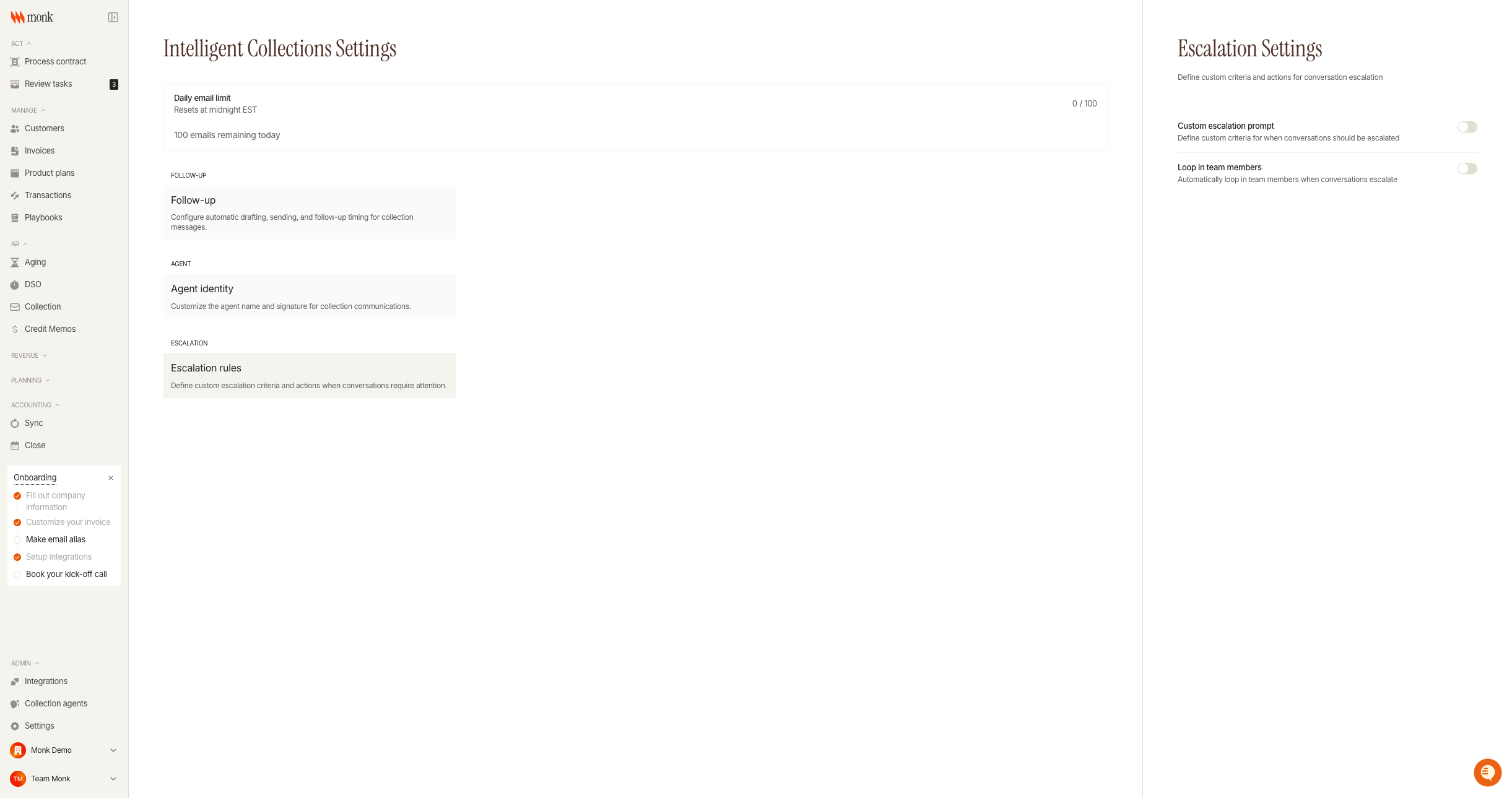
Custom escalation prompt: Enable this to define additional criteria for when conversations should be escalated
Loop in team members: Automatically add team members to escalated conversations. Add email addresses of people who should be notified when escalation is detected
Reviewing Agent Activity
Agent activities appear in your Review Tasks queue under the collections tab.
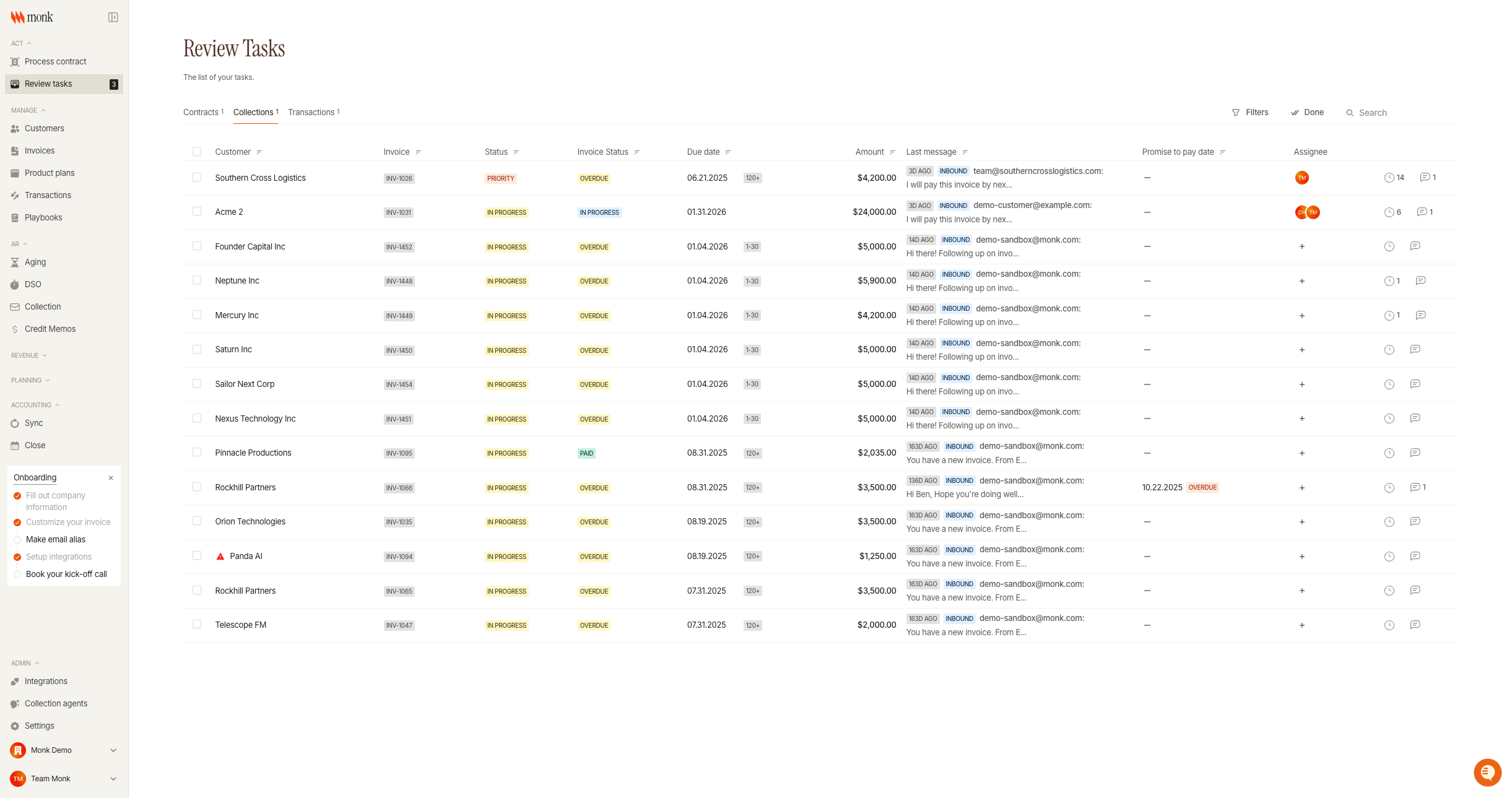
From the Review Tasks page:
Click the Collections tab to see pending collection tasks
Each row shows the customer, invoice status, amount, and last message preview
Click a row to open the conversation and review the agent's draft
Edit the draft if needed, then send or reject it
Default Escalation Triggers
Monk Agents automatically escalate conversations when they detect:
Payment disputes: Customer claims they already paid or disputes the amount
Legal mentions: References to lawyers, legal action, or litigation
Payment promises: Customer commits to paying by a specific date
Bankruptcy mentions: References to bankruptcy or insolvency
Requests for human contact: Customer explicitly asks to speak with a person
What Monk Agents Never Do
To protect your sender reputation and customer relationships, Monk Agents:
Never threaten your customers
Never continues conversations after escalation detection
Troubleshooting
Agent Isn't Sending Follow-Ups
Cause: Auto-send may be disabled or the conversation is escalated.
Fix: Check that auto-send is set to "Always" or "Until someone replies" in Follow-up settings. Review the conversation to see if it's been escalated.
Agent Keeps Contacting the Wrong Person
Cause: Primary contact may be outdated or bouncing, despite our abilities to rotate contacts intelligently and discover new contacts for you.
Fix: Update the customer's primary billing contact in the Customers section, or enable "Pause on new contact discovery" to review contact changes.